LangBot v4.10.0: Agentic Sandbox & Skills — Letting Your Agent Work Like a Developer
LangBot v4.10.0 is our biggest Agent update yet. It ships two features that point in the same direction — letting the built-in Agent work like a real developer:
- Sandbox: the Agent now runs in a genuinely isolated environment where it can execute commands and work with files.
- Skills: the Agent can load specialized know-how on demand, instead of cramming everything into its context.
Both capabilities were led by community contributor @huanghuoguoguo. Let’s dig in.
New to LangBot? LangBot is an open-source LLM bot platform (15k+ GitHub stars) that lets you deploy AI chatbots across Discord, Telegram, WeChat (个人微信 / 企业微信), Slack, Lark (Feishu), DingTalk, QQ and more — all from a single instance. It connects 20+ large language models (OpenAI GPT, Anthropic Claude, Google Gemini, DeepSeek, and others) to 13+ messaging platforms, with built-in Agent, RAG knowledge bases, MCP support, and a plugin ecosystem. You can self-host it with one Docker command or run it managed on LangBot Cloud.
📦 Sandbox: a real workspace for your Agent
Until now, LangBot’s built-in Agent could only call predefined tools. It couldn’t “open a terminal and run a command,” nor “write an intermediate result to a file and read it back later” — which is exactly what human developers do all day.
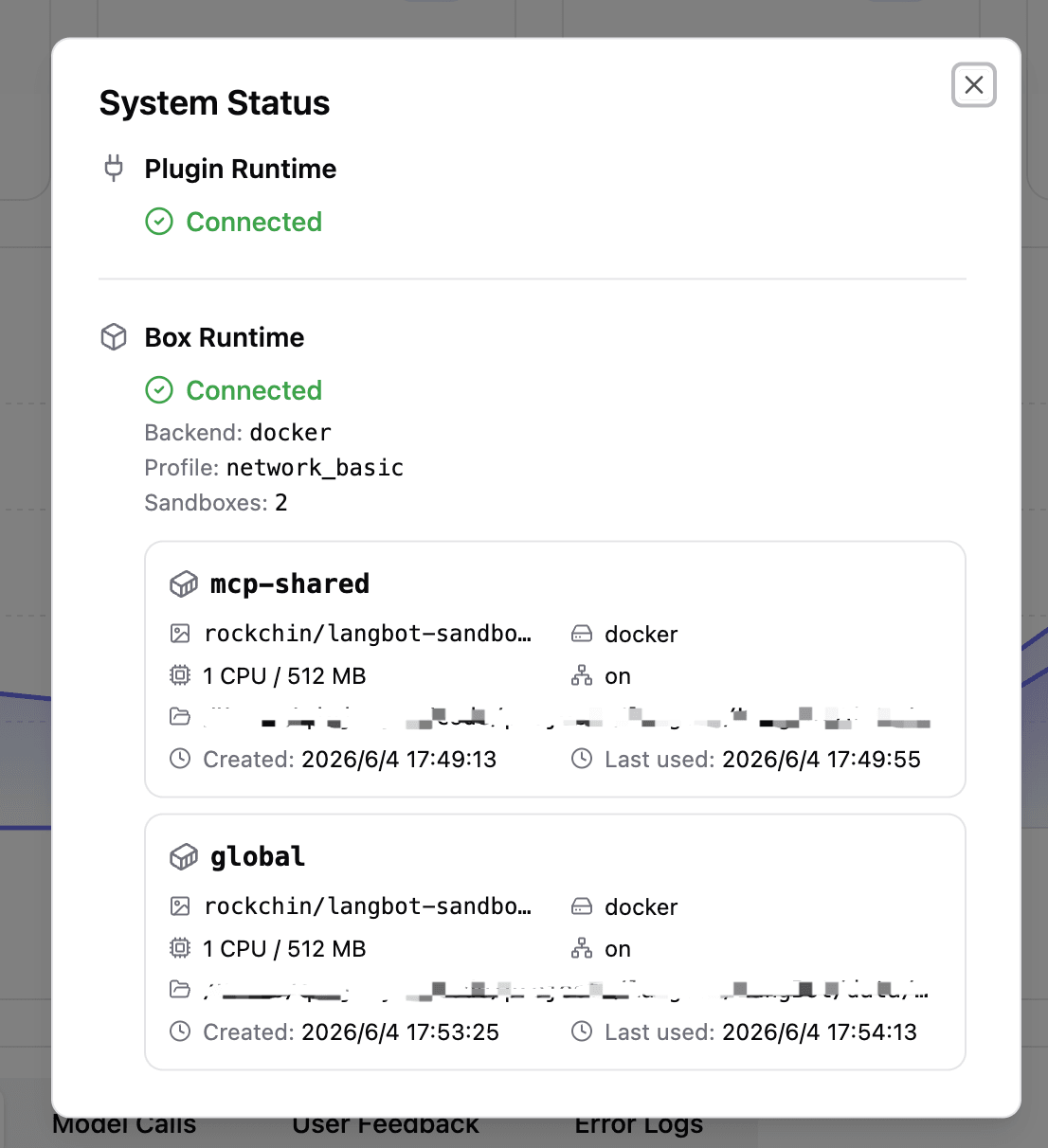
v4.10.0 introduces the new Box Runtime. It gives the Agent an isolated sandbox environment with six native tools built in:
| Tool | Purpose |
|---|---|
exec | Run shell commands |
read | Read file contents |
write | Write files |
edit | Make targeted edits to files |
glob | Find files by pattern |
grep | Search inside file contents |
With this toolkit, the Agent can work like a developer: run a script, save the output to a file, read it back to analyze, and post-process the result. All of it happens inside an isolated environment that never touches the host.
Pluggable backends
The sandbox’s execution backend is pluggable, and LangBot selects one automatically based on your deployment:
- Docker: spins up a dedicated
langbot_boxcontainer that talks to the main process over WebSocket. Great for containerized deployments. - nsjail: lightweight isolation based on Linux namespaces, no extra container needed. Great for bare-metal or single-container setups.
- E2B: cloud sandbox that runs execution in a remote isolated environment.
You don’t have to pick manually — box.enabled is the master switch. Once on, LangBot probes for the most suitable backend and degrades gracefully if probing fails.
It also hosts MCP Servers
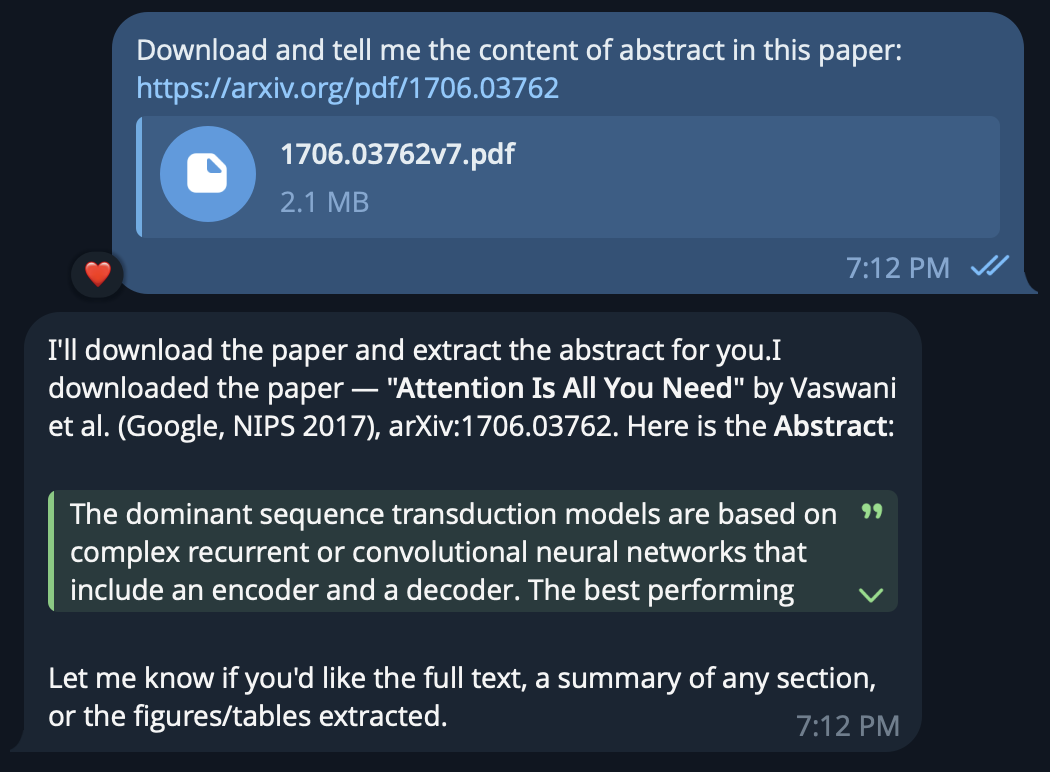
Beyond native tools, the Box Runtime takes on another important job: hosting stdio-mode MCP Servers.
Previously, stdio-mode MCP Servers had to be spawned as subprocesses directly inside the main process — neither safe nor easy to manage. Now they all run inside the sandbox, sharing the same isolation boundary as the Agent’s execution environment. http / sse mode MCP is unaffected and works as before.
🎯 Skills: know-how, loaded on demand
The second big update is Skills.
As the Agent’s capabilities grow, an old problem surfaces: the context window is finite. If you stuff every possible instruction, procedure, and reference doc into the system prompt, the context fills up fast — and most of it is irrelevant to the task at hand.
The design idea behind Skills is simple: keep the table of contents in view, and open the book only when you need it.
A Skill is an on-demand instruction pack containing:
- A prompt: tells the Agent what the skill does and when to use it
- A procedure: the steps to accomplish a class of tasks
- Scripts: ready-to-run helper scripts
- Reference files: API docs, templates, examples, and so on
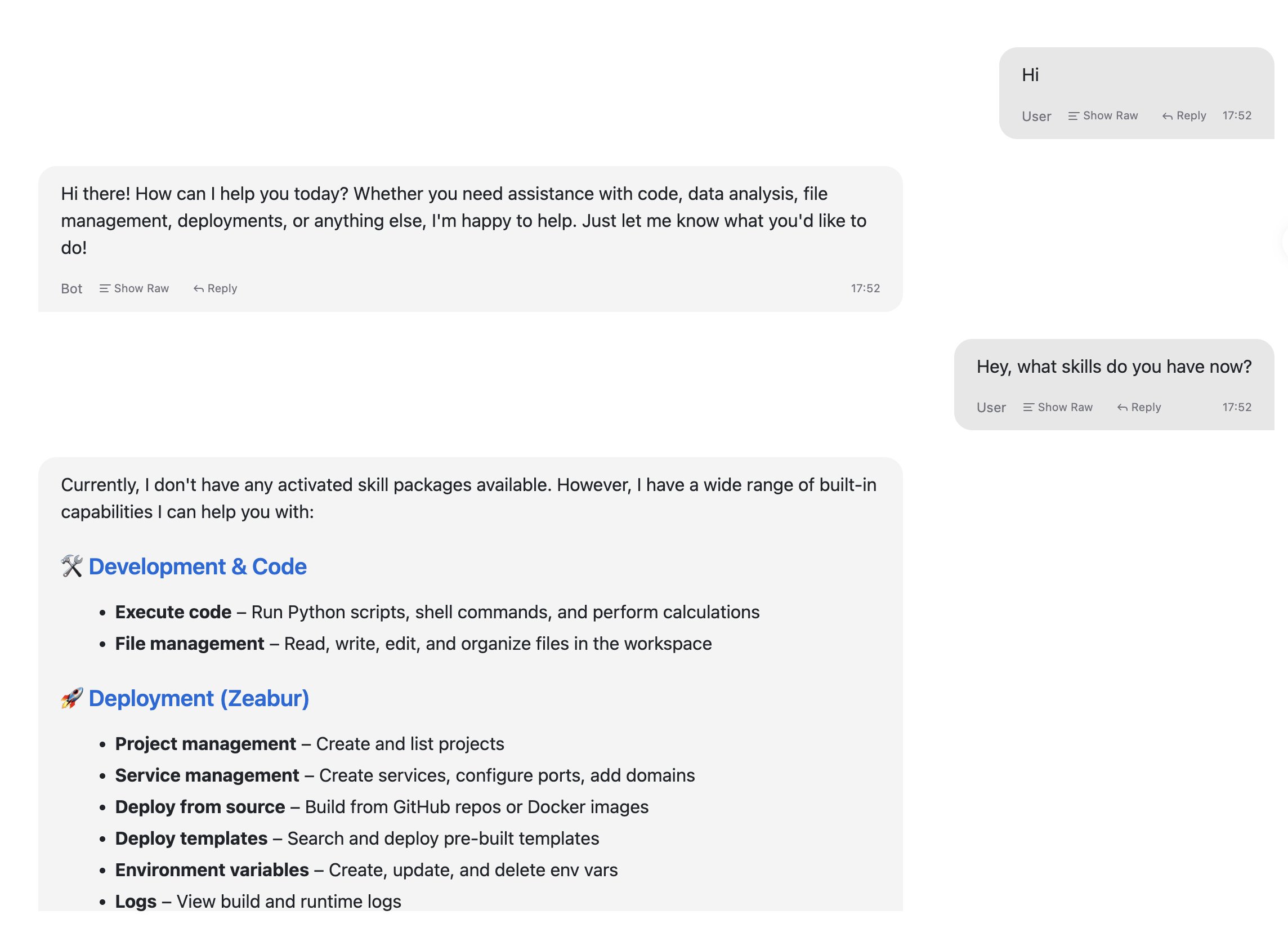
By default the Agent only sees a list of available skills (name + summary), which costs almost nothing in context. When it decides a task needs a particular skill, it pulls the full content just in time via the activate action.
The benefits are clear:
- Lean context: irrelevant skill content never takes up the window.
- Extensible capabilities: want to teach the Agent a new trick? Write a skill pack — no core code changes.
- Instant effect: skills load dynamically during execution, no restart required.
If you’ve used Claude’s Skills or a similar mechanism, this pattern will feel familiar — it decouples “what the Agent knows” from “what the Agent needs right now.”
🧩 Shipped early across 4.9.x
These were planned for v4.10.0 but shipped early in the 4.9.x line:
- Plugin Extension Pages: plugins can render custom UI via iframe + a Page SDK (@TyperBody, #2107)
- Monitoring: feedback linked to message IDs, plus feedback export (@6mvp6, #2120)
- Security hardening: path-traversal fixes and removal of an authenticated RCE endpoint (@sebastiondev, #2087 / #2178)
🚀 Getting started
The sandbox needs an execution backend, depending on how you deploy:
- Docker: run
docker compose --profile all up, which also launches thelangbot_boxcontainer. - Manual /
uvx: runs as a stdio subprocess automatically, nothing to do. - LangBot Cloud: ready out of the box — the sandbox is already set up for you, nothing to install.
To turn the sandbox off, set box.enabled: false — built-in tools, Skill create/edit, and stdio-mode MCP are all disabled; http / sse mode MCP is unaffected. See the Sandbox docs for details.
This release also upgrades the plugin SDK to langbot-plugin 0.4.1.
Closing thoughts
Sandbox and Skills are, at their core, answering the same question: how do we let an Agent handle genuinely complex, open-ended tasks?
The sandbox solves the “hands” problem — giving the Agent the ability to execute and room to experiment. Skills solve the “brain” problem — letting the Agent reach for the right knowledge at the right moment, without drowning in irrelevant information.
The fastest way to try it is to spin up a managed instance on LangBot Cloud, where the sandbox is ready to go. You can also read the full release notes for every change.
Thank you to everyone building with LangBot. We’ll keep making the cloud Agent experience more stable and more capable.